Kinky Image Operations
A downloadable tool
ImageCompression
Compress images to a maximum file size or resize entire batches to exact dimensions - locally, privately, and offline.
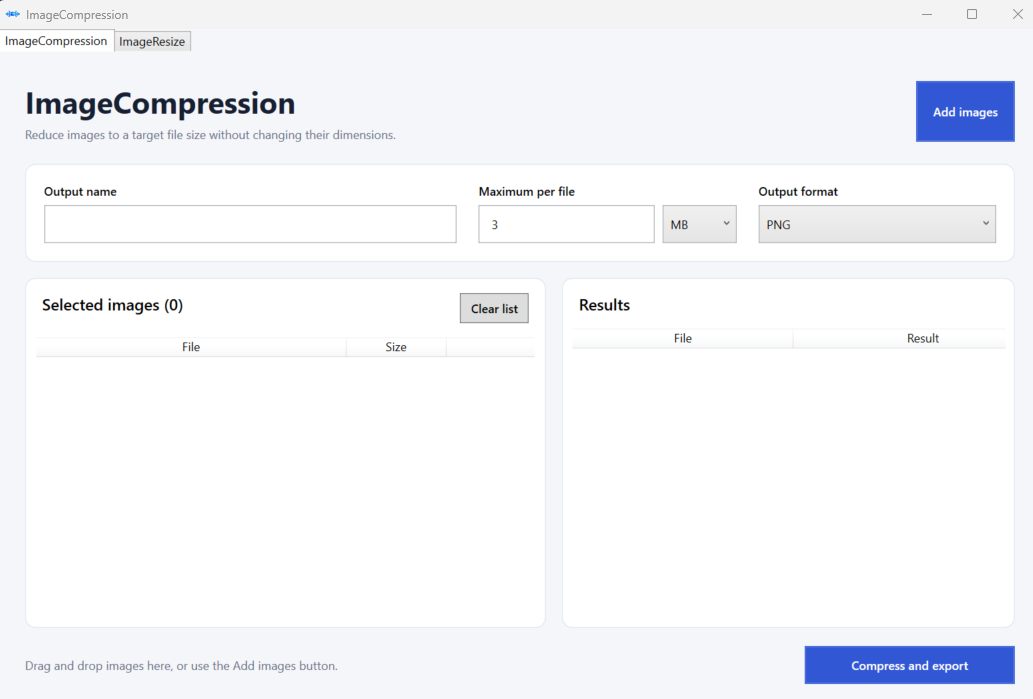
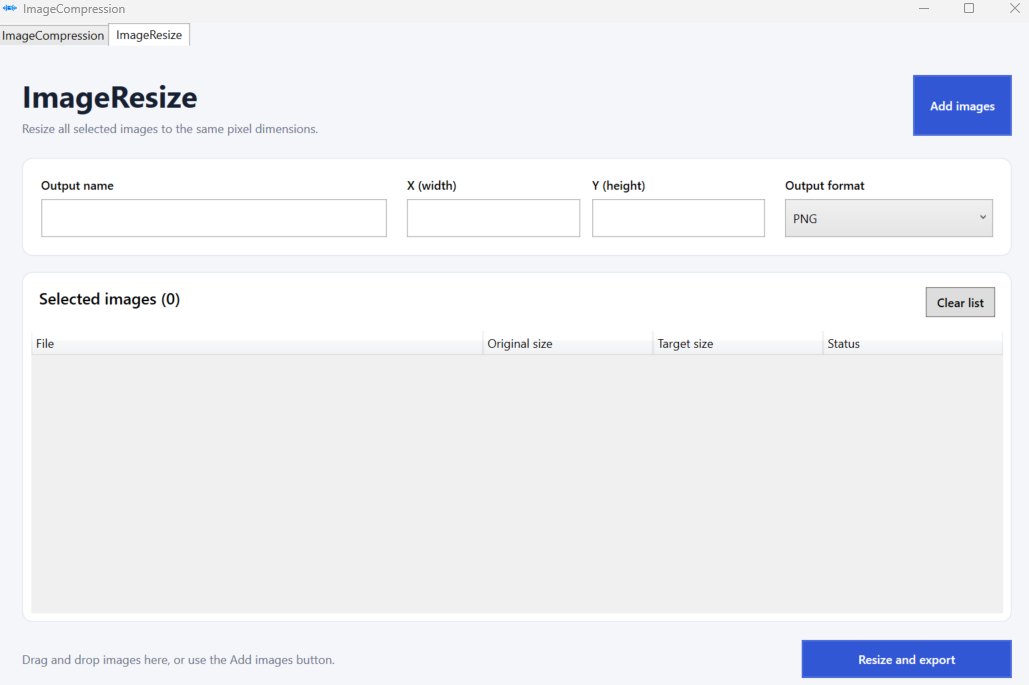
ImageCompression is a focused Windows utility for fast and private image processing. Compress a single image or an entire batch to a per-file size limit, or resize multiple images to the same exact pixel dimensions.
Everything runs locally on your computer. Your images are never uploaded, and no internet connection is required.
Features
- Compress individual images or large batches
- Set a maximum size for every output file
- Resize all selected images to an exact width and height
- View original and target dimensions for every image
- Export as PNG, JPG, WebP, or AVIF
- Automatic numbered naming such as
project-001.png - Automatic output folder creation
- Existing-folder conflict protection
- Retry unresolved compression jobs as JPG
- Accept or abort files that cannot reach the requested target
- Drag-and-drop support
- Detailed local processing logs
- Private EXIF and GPS metadata removal
- Fully offline operation
Two simple workflows
ImageCompression preserves the original pixel dimensions while attempting to reduce every selected image below the maximum file size you specify.
ImageResize applies one exact width and height to every selected image and displays the original and target dimensions row by row.
Supported formats
Input: JPG, JPEG, PNG, WebP, AVIF Output: PNG, JPG, WebP, AVIF
Installation
- Download the ZIP archive.
- Extract it to a normal folder.
- Run
ImageCompression.exe.
No installer, .NET installation, account, or internet connection is required.
System requirements
- Windows 10 or Windows 11
- 64-bit x64 processor
Privacy
All processing happens locally. The application does not upload images or connect to an online service. Exported images have private EXIF and GPS metadata removed while available color-profile information is preserved.
Important notes
- Extremely small compression targets may be impossible without reducing image dimensions.
- Exact X and Y resize values may change the image aspect ratio.
- Animated and multi-frame images are not supported.
- This application is currently unsigned, so Windows may display an Unknown Publisher or SmartScreen warning on first launch.
Version 1.1.0
For more products visit : https://valendirgames.itch.io
Download
Click download now to get access to the following files:
Leave a comment
Log in with itch.io to leave a comment.